Your Proxmox node, from the phone in your pocket.
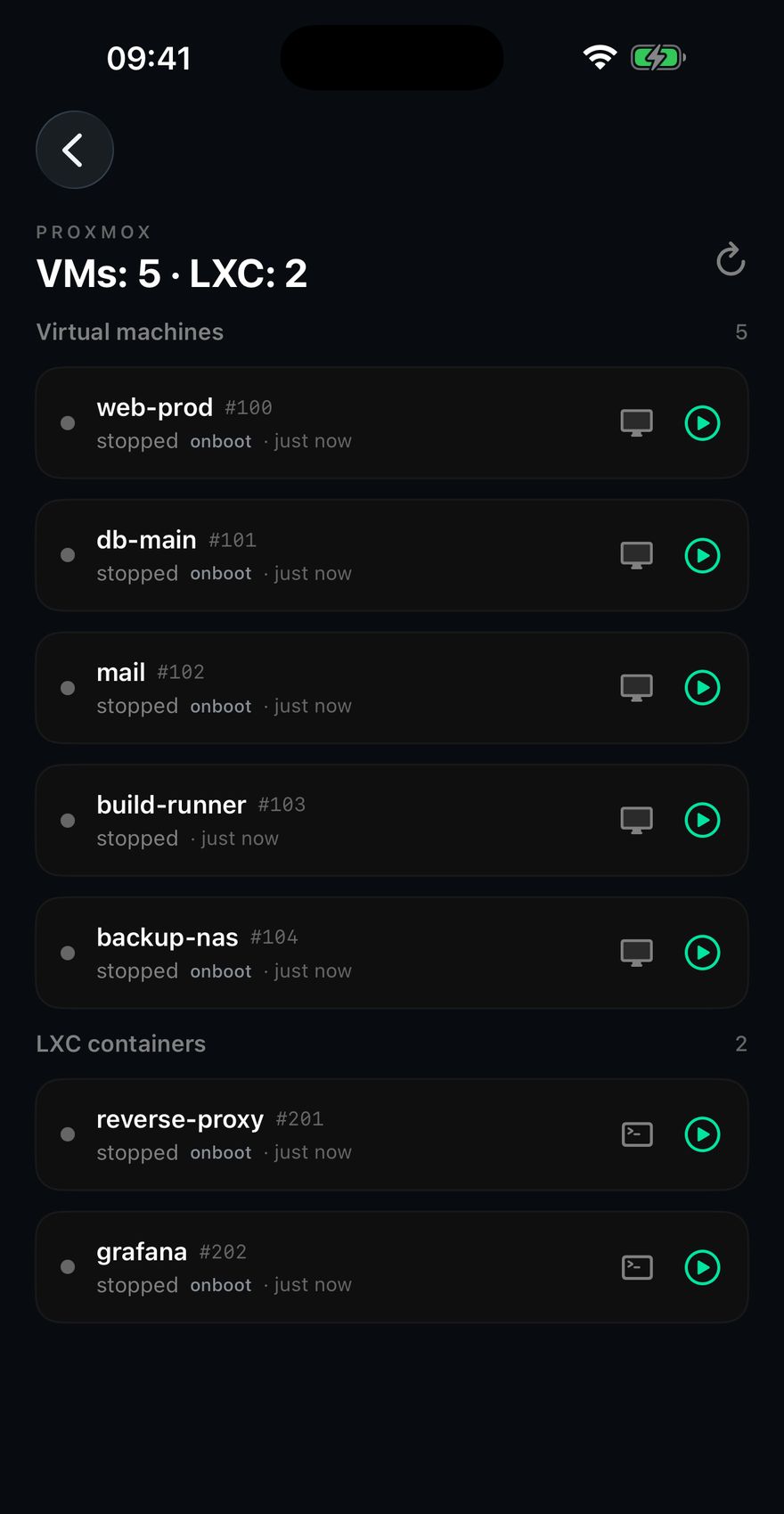
Virtual machines and LXC containers, listed, started and stopped over the same SSH login you already have. No API token, no port forwarded, nothing installed on the node.
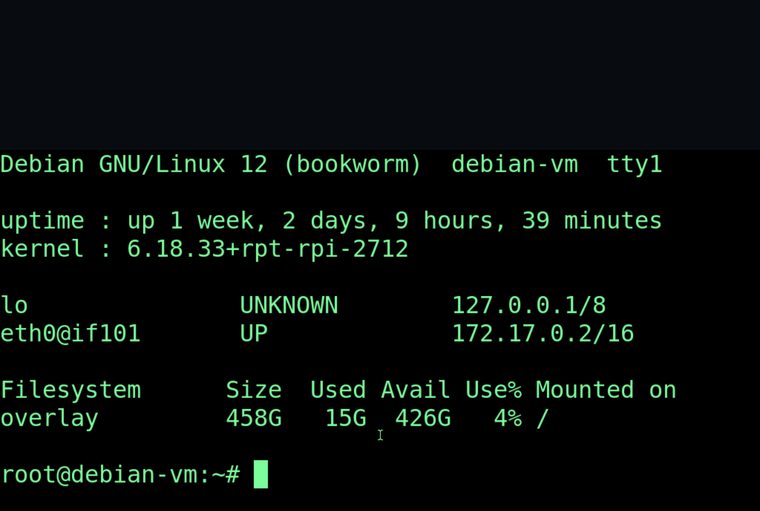
And when a VM will not boot, the console — which is the one door still open when SSH to that VM is dead by definition.
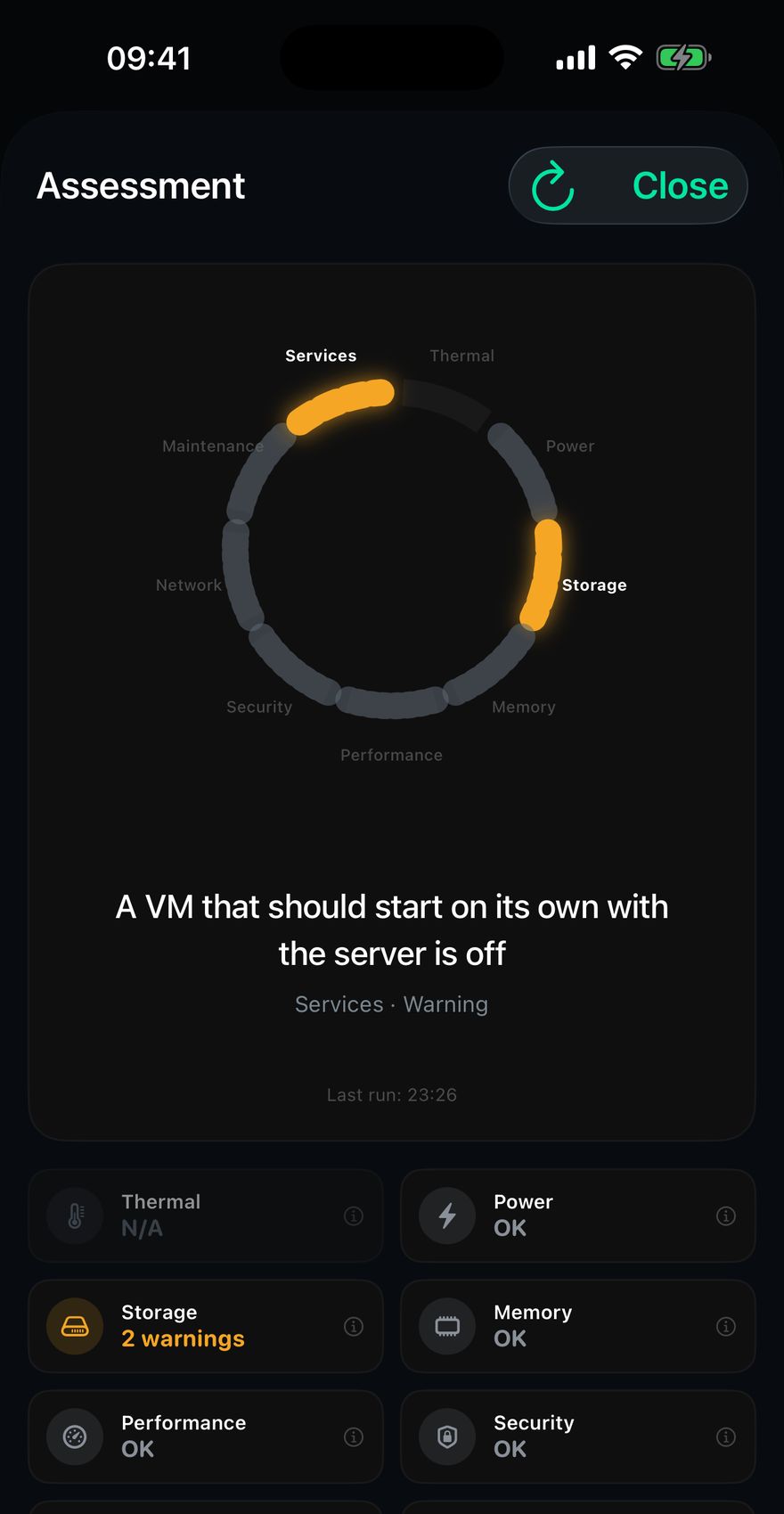
The guest that was supposed to come back and didn't
A VM marked onboot is one you decided should start with the host. When it doesn't, nothing complains. The node is up, the dashboard is green, and a service is simply missing until somebody goes looking for it — usually weeks later, usually because something else broke.
Chillbox compares what is marked to start against what is actually running, and raises the gap by name.
A VM that will not boot has no SSH to connect to
That is the whole case for a console. Chillbox runs qm vncproxy, which speaks the VNC protocol over its own standard input and output — so the console travels inside the SSH channel that is already open. No tunnel, no VNC port exposed, nothing listening that wasn't already.
The RFB client is written by hand, with no new dependency. LXC containers get a terminal instead, opened straight inside with pct enter.
Chillbox used to tell a Proxmox node that Proxmox wasn't installed
qm and pct live in /usr/sbin, which is not on a normal user's PATH on Debian. The shell answered “command not found”, and the classifier read that as not installed — on a host whose own detection had already said otherwise. Every Proxmox command now goes by absolute path.
Proxmox also does not refuse you with “permission denied”. It fails with ipcc_send_rec errors and “Unable to load access control list”, neither of which resembles what a permission check looks for. So a node that rejected the user produced no findings at all, the category quietly disappeared, and the verdict fell through to everything is fine.
Both bugs were the same bug: something the app could not verify, drawn as though it were fine. Neither was caught by a test. Both were caught by pointing the app at real hardware and reading the screen.
- Tested against
- Proxmox VE 9.2.9, September 2026
- Needs on the node
- Nothing. Plain SSH, no agent, no API token
- Console path
qm vncproxyinside the SSH channel- Costs
- Free to try, then $7.99 once
Check the node before it is the reason something else is down
Add it with the SSH login you already use. Chillbox reads it and tells you what it found, and what it could not.